
Essential Strategies to Secure Your Google Business Profile and Protect Your Online Reputation
- Osman Goni
- 3 days ago
- 3 min read

Your Google Business Profile (GBP) is often the first impression potential customers have of your business. It appears in local search results, Google Maps, and other Google services, making it a powerful tool to attract new clients and build trust. However, this visibility also makes your profile a target for scams and unauthorized access. Securing your GBP is not just a technical task; it is essential to protect your online reputation and maintain your local search rankings.
This post explores why securing your Google Business Profile matters, practical strategies to lock it down, and how a 24/7 security system can provide continuous protection.
Why Securing Your Google Business Profile Matters
Your Google Business Profile contains critical information about your business, including your address, phone number, hours of operation, photos, and customer reviews. If someone gains unauthorized access, they can:
Change your business details, confusing or misleading customers
Post fake reviews that damage your reputation
Redirect customers to fraudulent websites or competitors
Remove your profile, making your business invisible in local searches
Such attacks can cause immediate loss of customers and long-term damage to your brand. Google’s local search algorithm also considers the accuracy and trustworthiness of your profile when ranking businesses. Unauthorized changes or negative reviews can lower your ranking, reducing your visibility to potential customers.
Effective Strategies to Lock Down Your Google Business Profile
Securing your GBP requires a combination of strong account management and proactive monitoring. Here are key steps to protect your profile:
Use Strong, Unique Passwords and Two-Factor Authentication
Create a password that is long, complex, and unique to your Google account.
Enable two-factor authentication (2FA) to add an extra layer of security. This requires a second verification step, such as a code sent to your phone, when logging in.
Limit Access to Trusted Users Only
Only grant profile management permissions to trusted employees or partners.
Regularly review user access and remove anyone who no longer needs it.
Use Google’s role-based permissions to control what each user can do.
Verify Your Business Information Carefully
Complete the verification process Google requires to confirm your business location.
Avoid sharing verification codes or login credentials with anyone outside your trusted team.
Monitor Your Profile Regularly
Check your profile daily for unauthorized changes or suspicious activity.
Set up alerts for new reviews or updates to your business information.
Respond promptly to customer reviews to maintain engagement and reputation.
Protect Your Email Account
Since your Google Business Profile is linked to your Google account, securing your email is critical.
Use strong passwords and 2FA for your email.
Be cautious of phishing emails that try to steal your login details.
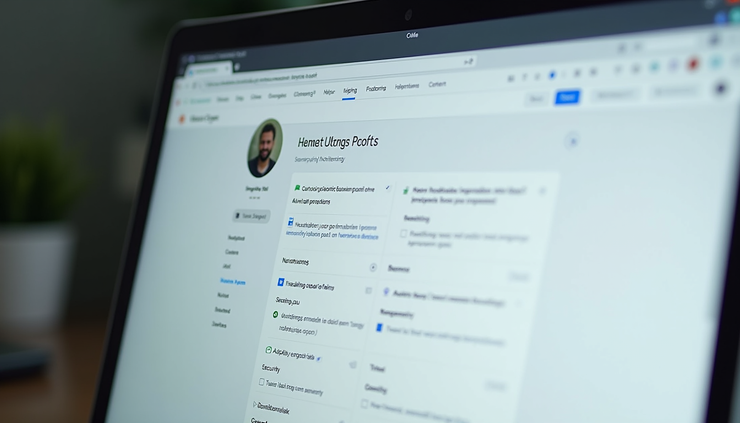
Google Business Profile dashboard showing security settings and monitoring tools
Features of a 24/7 Google Business Profile Security System
Manual monitoring can catch some issues, but a dedicated 24/7 security system offers continuous protection and faster response times. Here’s what such a system typically includes:
Continuous Monitoring
Tracks changes to your profile in real time.
Detects suspicious login attempts or unauthorized access.
Monitors new reviews and flags potentially fake or harmful content.
Proactive Threat Prevention
Automatically blocks suspicious IP addresses or login attempts.
Sends immediate alerts to business owners or managers when unusual activity occurs.
Provides tools to quickly revert unauthorized changes.
Automated Backups
Regularly backs up your profile data to restore it quickly if compromised.
Keeps a history of changes for auditing and recovery purposes.
Expert Support
Access to security experts who can assist with incident response.
Guidance on best practices to strengthen your profile’s defenses.
Benefits of Safeguarding Your Online Reputation and Local Search Rankings
Investing in GBP security protects more than just your profile. It safeguards your business’s reputation and visibility in several ways:
Builds Customer Trust: A secure and accurate profile reassures customers that your business is legitimate and reliable.
Maintains Search Rankings: Google favors profiles with consistent, verified information and positive engagement.
Prevents Revenue Loss: Avoids disruptions caused by scams or profile hijacking that can drive customers away.
Saves Time and Resources: Reduces the need for damage control and reputation repair after an attack.
Practical Tips to Maintain Long-Term Security
Schedule regular audits of your Google Business Profile and associated accounts.
Educate your team about phishing and social engineering tactics.
Keep your devices and software updated to protect against vulnerabilities.
Use a password manager to maintain strong, unique passwords.
Consider professional services that specialize in GBP security for ongoing protection.
Securing your Google Business Profile is a vital step to protect your business’s online presence. By implementing strong security measures and leveraging continuous monitoring systems, you can prevent scams, maintain your reputation, and keep your local search rankings strong. Take action today to lock down your profile and safeguard your business’s future.


Comments